Overview

Dashboard

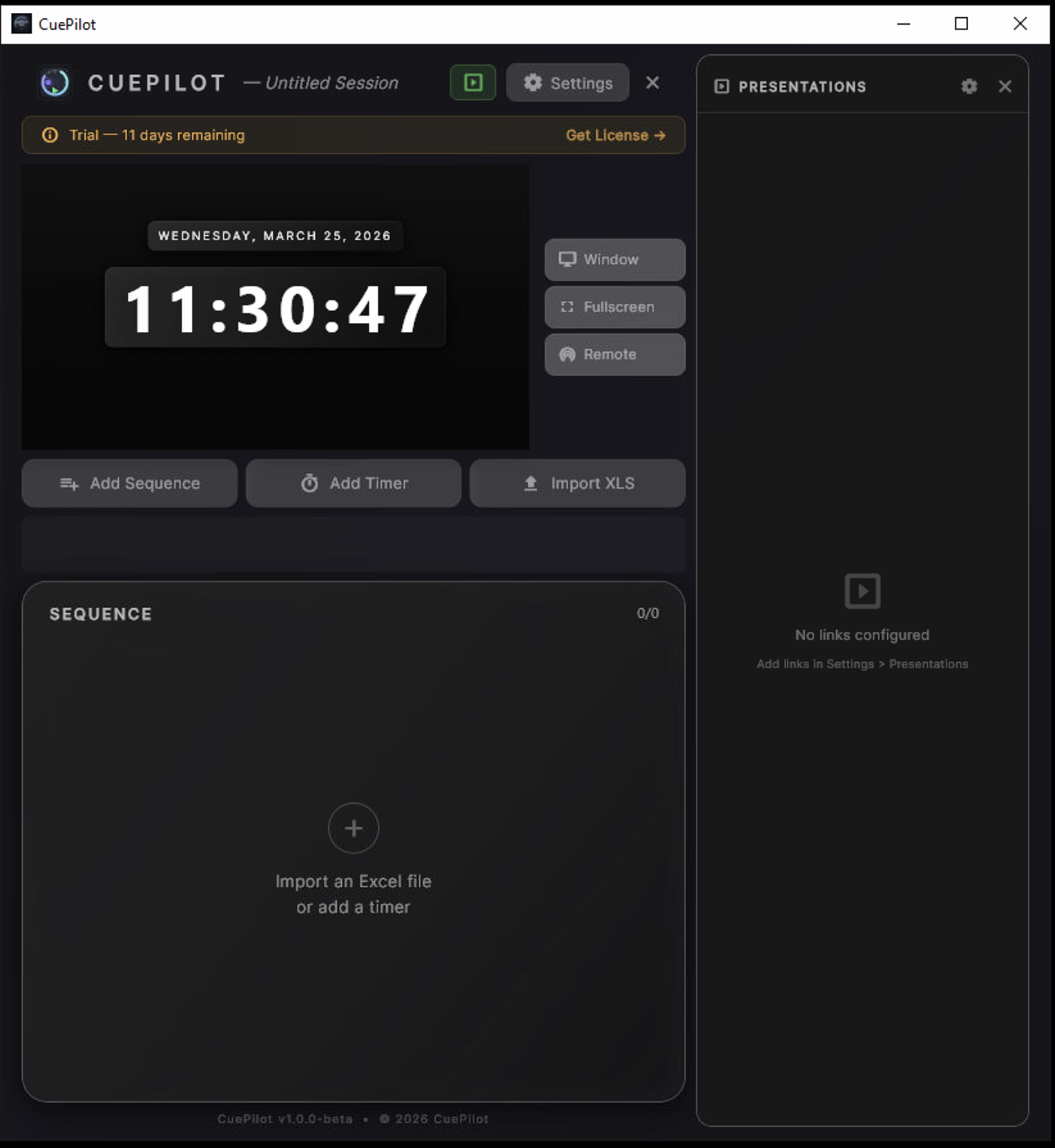
Your command center. Playlist on the left, live 16:9 timer preview in the center, and presentation links on the right. Everything at a glance.

  • Playlist with drag-reorder and groups
  • Live 16:9 output preview
  • Session name with dirty indicator
  • One-click Window, Fullscreen, Remote
CuePilot Dashboard — idle with live clock and presentation panel
Core

Timer Engine

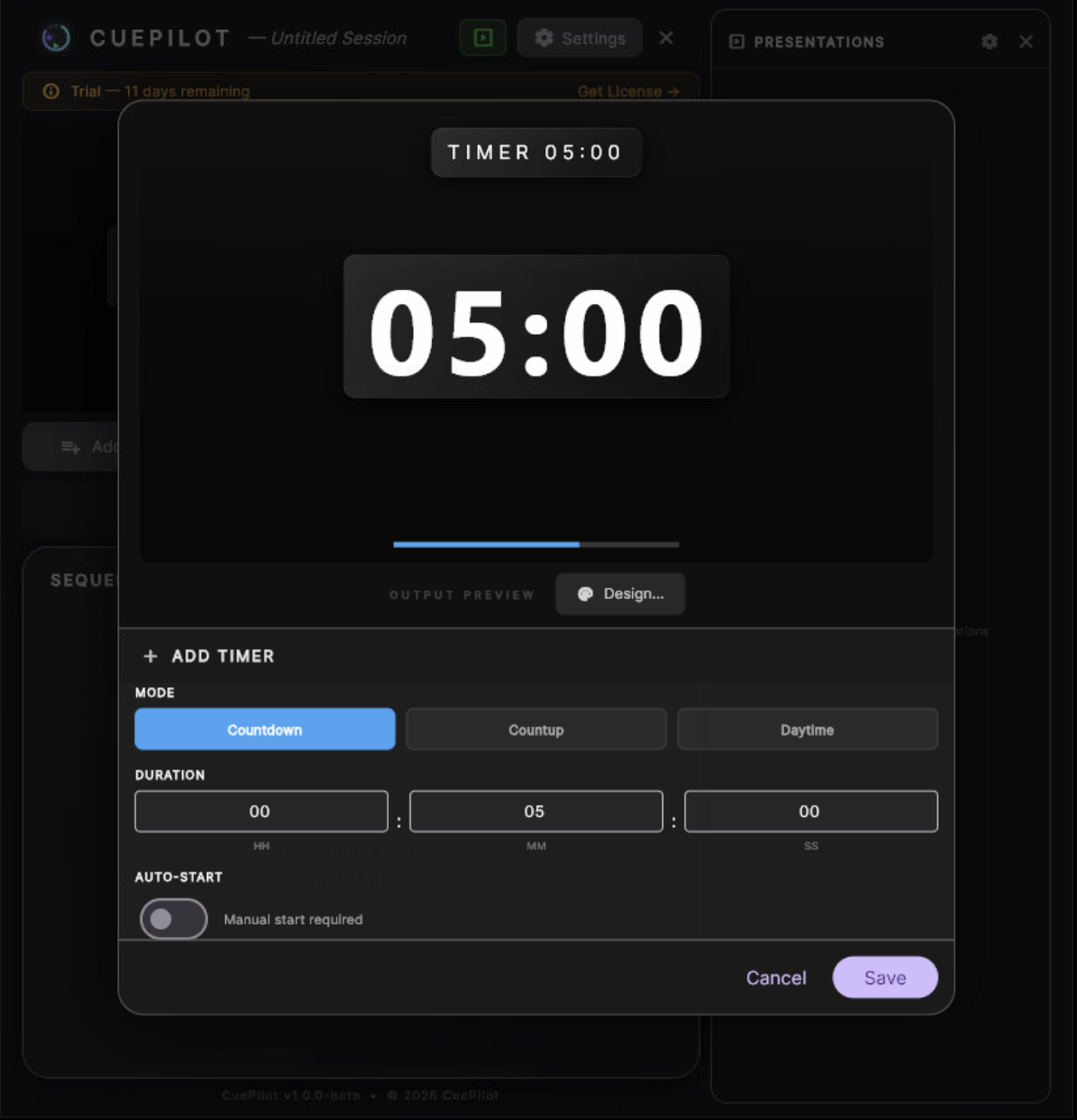
Three modes, millisecond precision. Visual alerts transition from green to orange (15%) to red (5%) to pulsing overtime. Configurable thresholds per sequence.

  • Countdown, Countup, Daytime clock
  • Millisecond precision (toggleable)
  • Color alerts: 15% orange, 5% red, overtime pulse
  • Customizable overtime overlay text
Timer Engine — Add Timer dialog with countdown preview
Productivity

Excel Import

Drop your .xlsx or .csv rundown and CuePilot generates the full playlist instantly. Sequence names, speakers, durations, modes — all parsed locally, zero server.

  • Import .xlsx and .csv files
  • Auto-detects columns and formats
  • Updates playlist without stopping active timer
  • Downloadable template included
Excel Import — playlist with sequences and timers after import
Visual

Design System

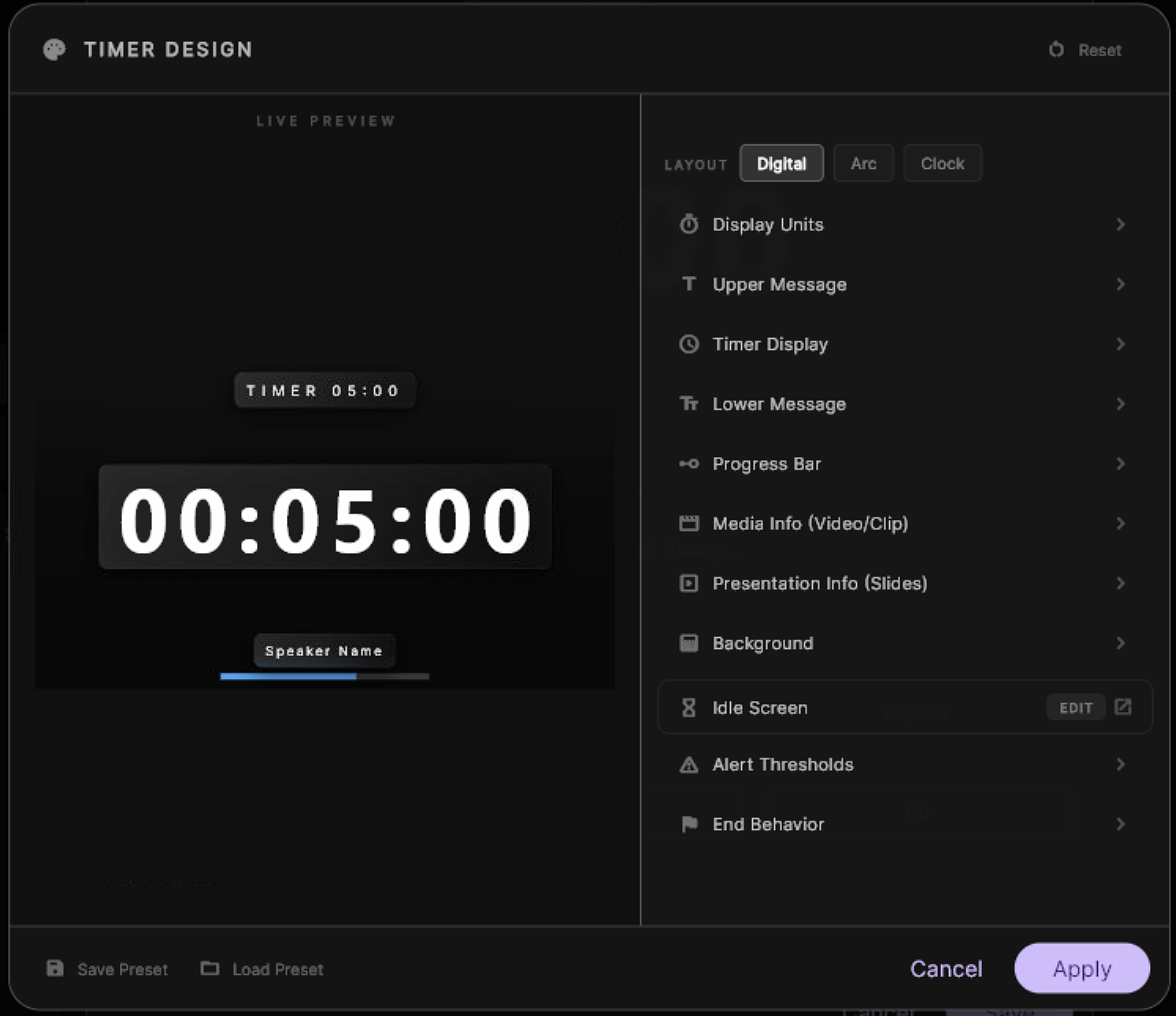
8 built-in presets from Corporate to Neon. Per-element control: color, position, scale, opacity, glass panels, font weight, letter spacing. Live preview as you edit.

  • 8 premium presets (Corporate, Broadcast, Sport...)
  • Drag elements on the 16:9 preview
  • Glass panels with custom blur and borders
  • 4 progress bar styles: line, rounded, segments, dots
  • Save and load custom presets
Design System — Timer Design dialog with live preview and settings
Output

Multi-Window

Open a floating borderless window for a secondary monitor. Launch a dedicated fullscreen output on any connected screen. Each is a native OS window with its own rendering.

  • Floating window: borderless, always-on-top, 16:9 locked
  • Fullscreen: screen picker, zero chrome
  • Identical rendering on all outputs
  • Chromakey, transparent, and luma background modes
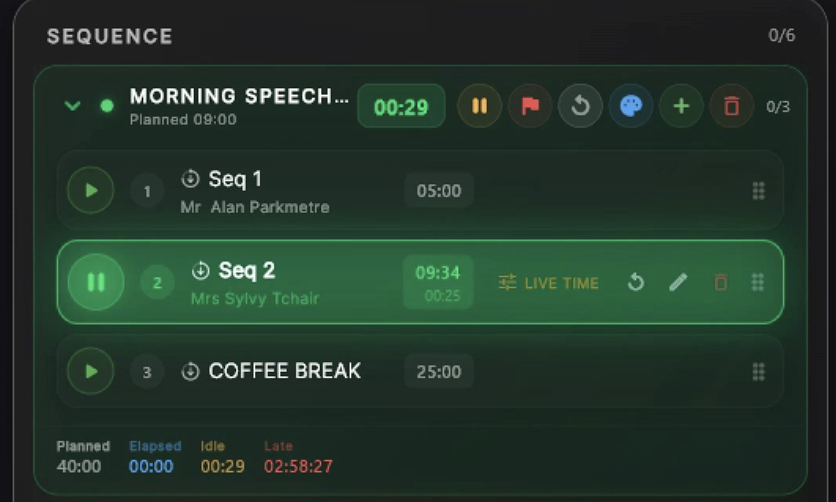
Multi-Window — playlist with active timers and sequences
Network

Remote Control

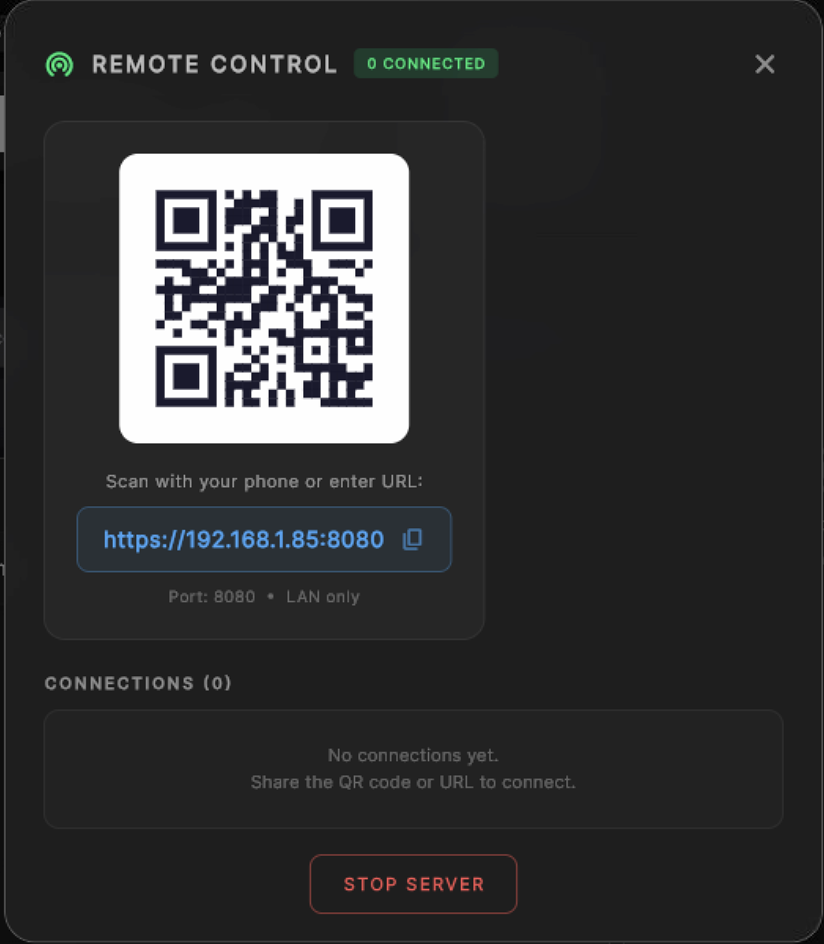
Built-in web server broadcasts a glassmorphism control page. Scan the QR code from any device on the LAN. Approve or deny connections. Full control or read-only.

  • QR code + URL for instant connection
  • Per-client approval with access levels
  • Full playlist control from tablet/phone
  • Live timer state synchronized via WebSocket
Remote Control — QR code and connection panel
Integration

Presentation Links

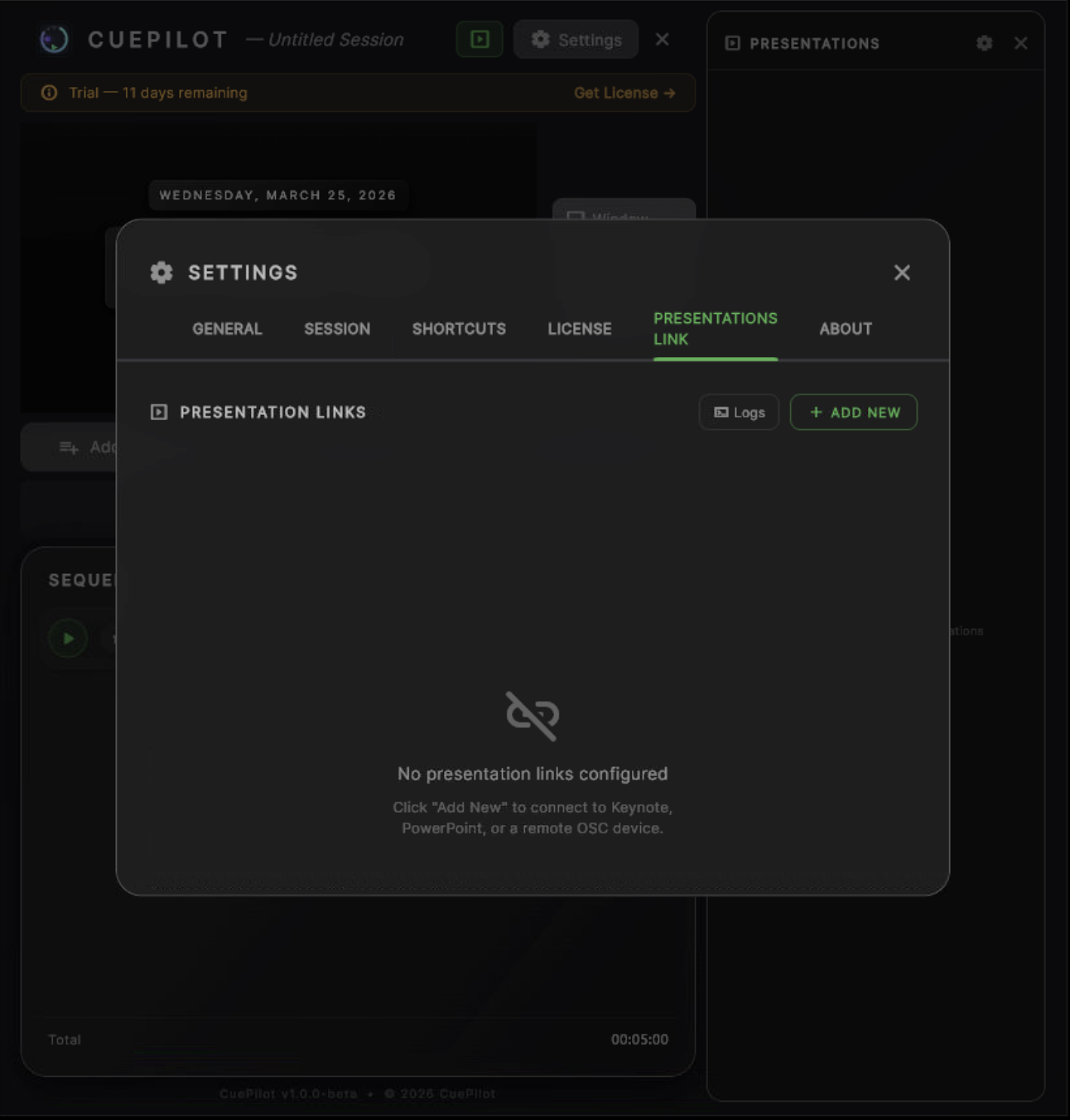
Connect CuePilot to 10 presentation and media applications. Track slides, monitor media elapsed, view presenter notes. From local AppleScript to remote REST, OSC, and WebSocket protocols.

  • Keynote + PowerPoint (local AppleScript)
  • LibreOffice Impress (TCP Impress Remote)
  • Canva (HTTP API bridge)
  • QLab native OSC (go, stop, panic, cue list)
  • Resolume Arena REST + OSC hybrid
  • VLC media player (HTTP API)
  • vMix (HTTP API)
  • OBS Studio (WebSocket v5)
  • Remote LAN via OSC bridge app
  • Session tracker: per-slide timing report
Presentation Links — settings panel with connection types
Polish

Idle Screen

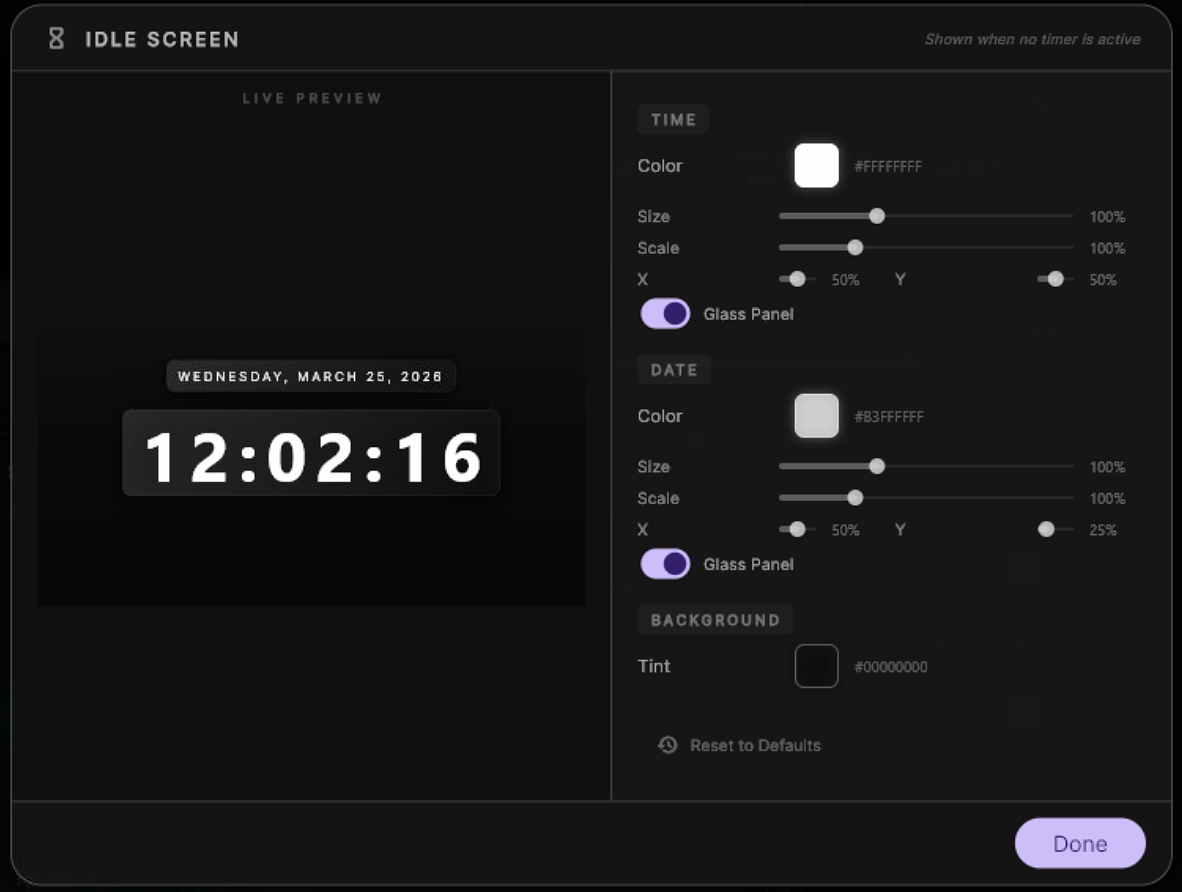
When no timer is active, outputs display a fully customizable clock with date, animated backgrounds, and glass panels. Professional standby look.

  • 10 animated background presets
  • Time + date with glass panels
  • Customizable colors, sizes, positions
  • 24h / 12h formats
Idle Screen — configuration with live preview, time, date, glass panels
Live

Broadcast Messages

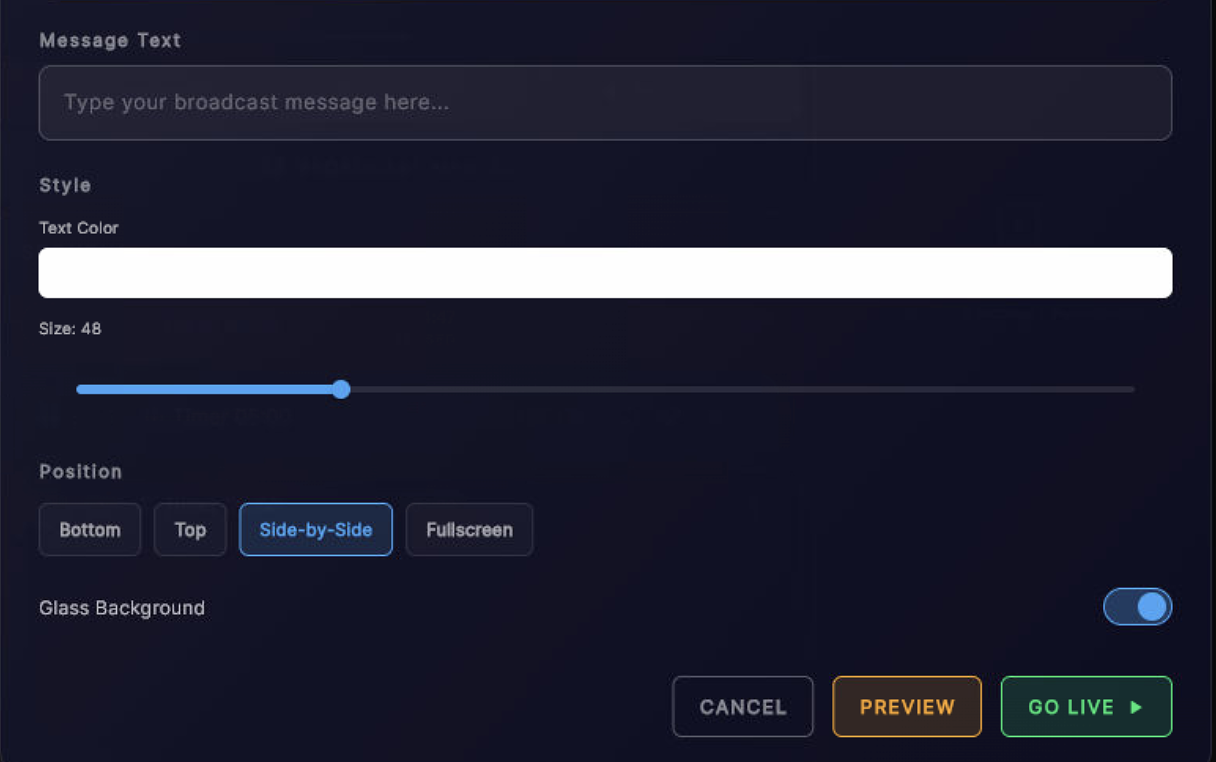
Send styled messages to all outputs in real-time. Timer slides to make room, message appears with smooth animation. ON AIR toggle with pulsing indicator.

  • 4 positions: bottom, top, center, side
  • Custom text color and size
  • Smooth 0.8s slide-in animation
  • ON AIR / OFF toggle with live indicator
Broadcast Messages — message composer with style, position and Go Live
Config

Settings & License

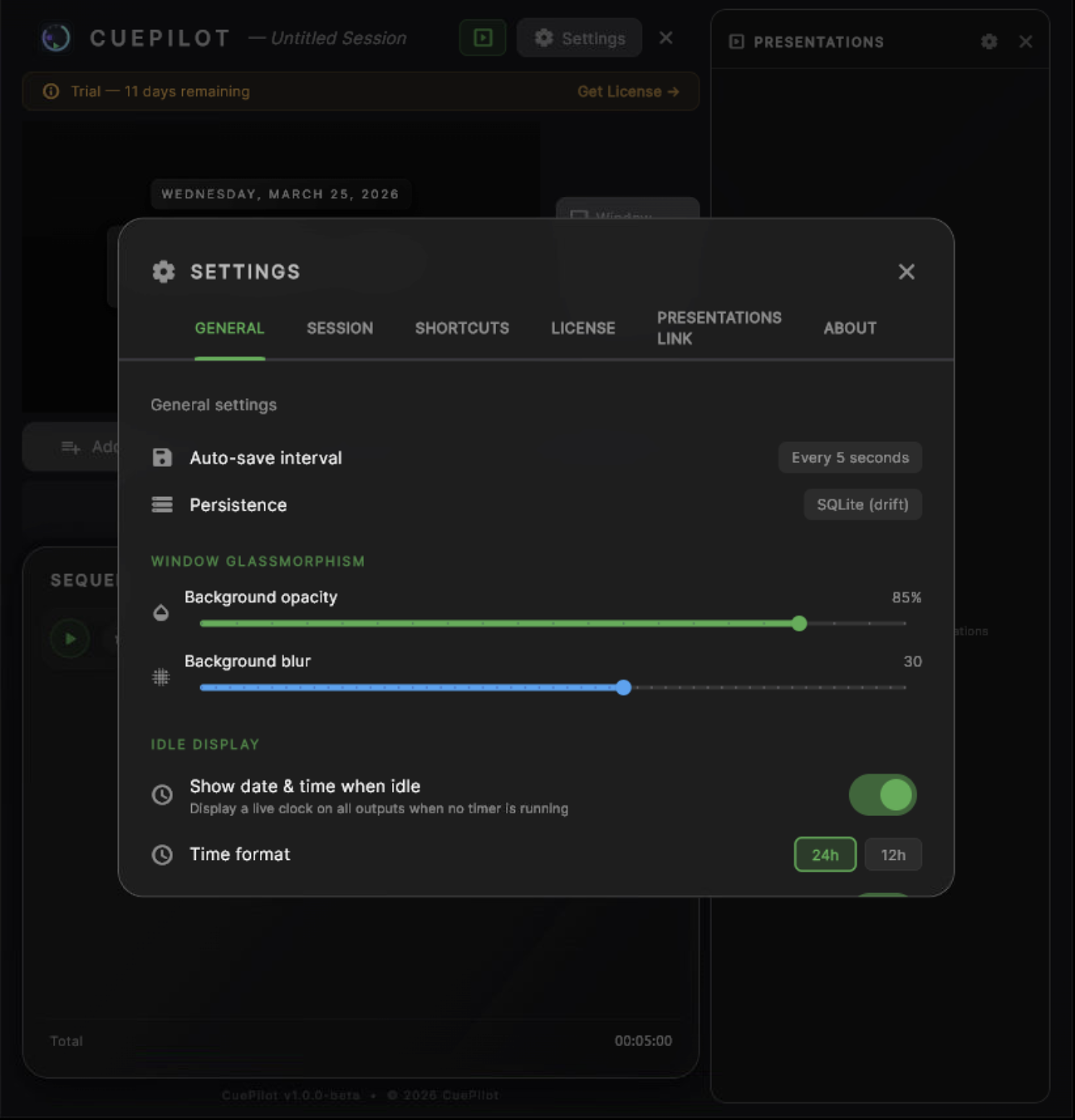
6 organized tabs: General, Session, Shortcuts, License, Presentations, About. Session save/load (.t0p files), undo/redo, keyboard shortcuts, and license management.

  • Session files (.t0p) with save/load/recent
  • Undo/Redo (Cmd+Z / Cmd+Shift+Z)
  • Customizable keyboard shortcuts
  • License activation with machine management
Settings — General tab with glassmorphism and idle display options

Ready to take control?

Download CuePilot and start your 14-day free trial. All features included.

Download CuePilot